Designed the system that turned an inconsistent UI into a single reusable design language for the Klynk app, website, HMI screens, and more.

Role
Solo UX Designer
Team
1 PM, 1 HMI Designer
Industry
Consumer Tech
Smart Kitchen / IoT Hardware
Timeline
2023
Overview
As a first-time endeavour, creating a design system for the Klynk ecosystem was both exciting and nerve-wracking. With input from teammates (including the HMI designer) and inspiration drawn from YouTube tutorials, this project set out to bring consistency and coherence across every surface Klynk touched, mobile app, website, and hardware HMI screens alike.
Background
This work sat alongside the other Klynk projects (the cooking companion app and the Smart Recipe Writer): as those features grew across the mobile app, the website, and the HMI screens on Semi and Riku, the UI behind them hadn't grown with the same discipline. This was the first design system built from the ground up, without a formal design-systems background to draw on, just teammates' input, close collaboration with the HMI designer on the hardware side, and self-directed learning.

Problem
There was a clear lack of consistency in the UI across the Klynk ecosystem, the mobile app, the website, and the HMI screens; the same kind of component (a button, a card, a form field) could look and behave differently depending on which surface it showed up on. The goal was to build a design system that could act as a single guiding source of truth across software and hardware alike, with three concrete requirements:
Establish a cohesive design language that scales across app, web, and HMI screens.
Provide a user-friendly solution that fosters collaboration among team members, including the HMI designer working on hardware.
Create documentation for easy reference and future scalability.
Process
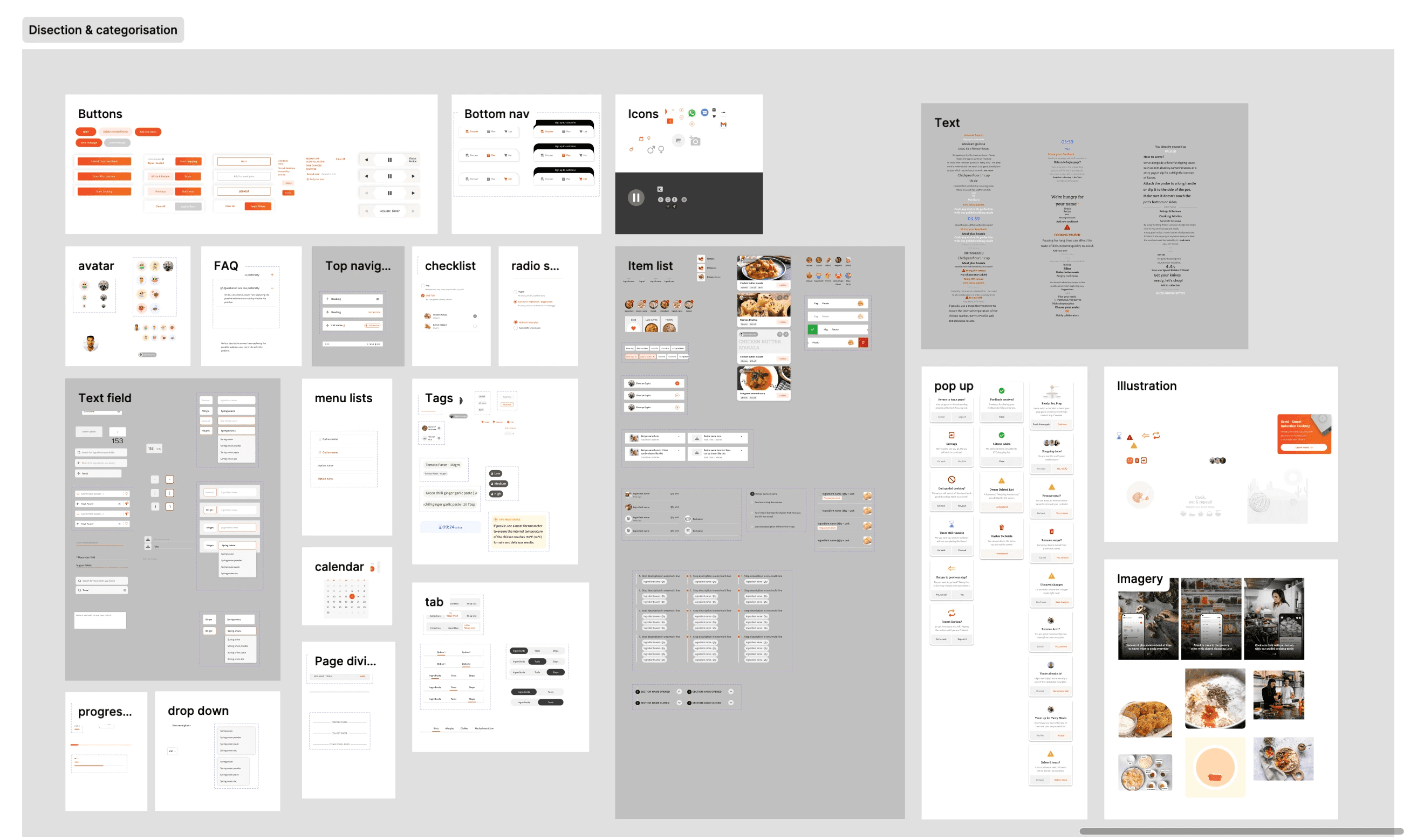
Documenting Current Components
Conducted a thorough audit of existing UI components and patterns used across the app, website, and HMI screens, the necessary first step to see the actual scope of the inconsistency before trying to fix it.
2. Unifying Components
Identified common design elements across all the audited screens and standardized them into a single, cohesive visual language, merging near-duplicate components instead of letting variations persist.

3. Updating Screens with New Components
Systematically replaced outdated or inconsistent UI components with the new standardized ones, screen by screen, ensuring consistency across every interaction, whether on the app, the website, or an HMI screen.
4. Creating Documentation
Documented the design system itself, guidelines, principles, and usage examples, so the system could actually be adopted and maintained by the team going forward, not just exist as a one-time cleanup.
Final Product
The finished design system: a documented, standardized component library covering the entire Klynk ecosystem, app, website, and HMI screens alike, built to be referenced and extended by the team rather than a static one-off deliverable.

Impact
Enhanced Consistency: The Klynk ecosystem now has a consistent and unified UI design across app, web, and hardware, improving both brand representation and the overall user experience.
Streamlined Development: Designers and developers could work more efficiently with clear guidelines and reusable components, leading to faster iteration cycles and reduced development time.
Scalability: The design system gave the team a scalable foundation for future updates and expansions across every surface, software or hardware, rather than each new feature reinventing its own UI patterns.
What stakeholders said after adoption:
"The design system has not only solved our immediate UI challenges but has also set a solid foundation for future iterations and expansions." — Product Manager, Futuristic Labs
"Thanks to the design system, our development process has become more efficient and collaborative." — Technical Lead, Futuristic Labs
"The design system has empowered our team to work more collaboratively and efficiently, resulting in a more unified product." — Product Designer, Futuristic Labs
Reflection
Personal Growth:
This project was a genuine learning experience, building confidence in both design skills and project management abilities on something with no prior direct experience to lean on.
Improved User Experience:
The design system led to a more consistent and intuitive experience for users, and it was recognized as such by both users and stakeholders, not just an internal efficiency win.
Team Collaboration:
Working closely with teammates throughout the process improved the quality of the design system itself and strengthened how the team worked together more broadly.